Change one thing.
See everything it breaks.
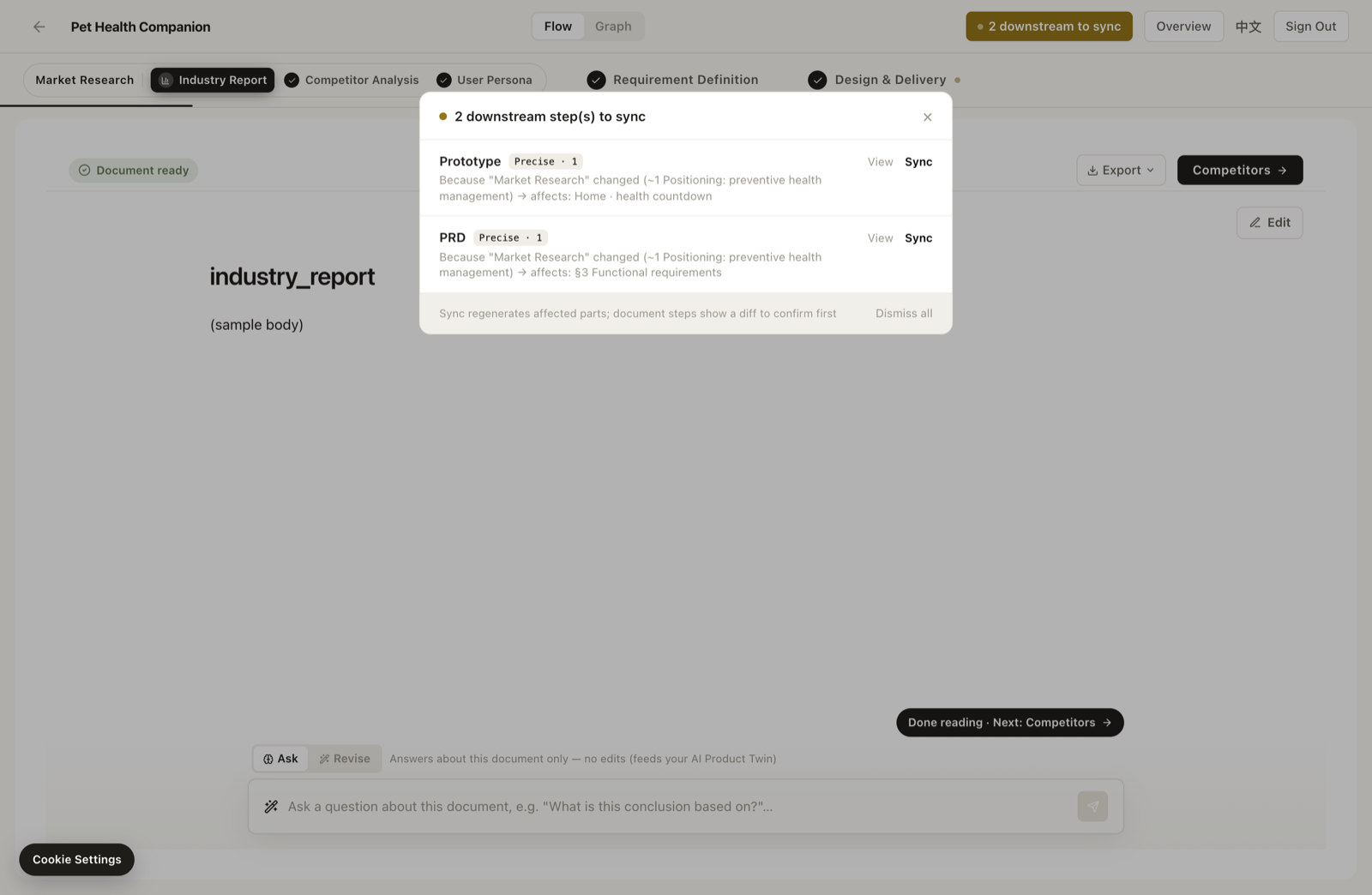
Move a requirement — ArcPM lights up every downstream screen it breaks, and syncs them in one click.
Your plan drifts the moment you change your mind.
You change a requirement, tweak one screen, forget the other — and three weeks later ship what the plan no longer says. Every PM has shipped that bug, because nothing connected the change to what it touched.
How it works
One connected graph
Your research, requirements and prototype are one graph — every artifact knows what it came from.
Change lights up downstream
Edit anything upstream; every item that depended on it lights up instantly — precise to the screen.
Sync in one click — or don’t
Sync it all at once, or keep what you meant to keep. The graph surfaces the drift; you make the call.
Why it’s different
ChatGPT generates a doc and forgets it. ArcPM keeps the thread across research, requirements and prototype — and exports the PRD from the latest state — so your plan flags its own contradictions before you ship them.
Stop losing the thread.
See your first “change one thing, watch the downstream light up” moment in minutes.
Join the beta